Core Conclusion
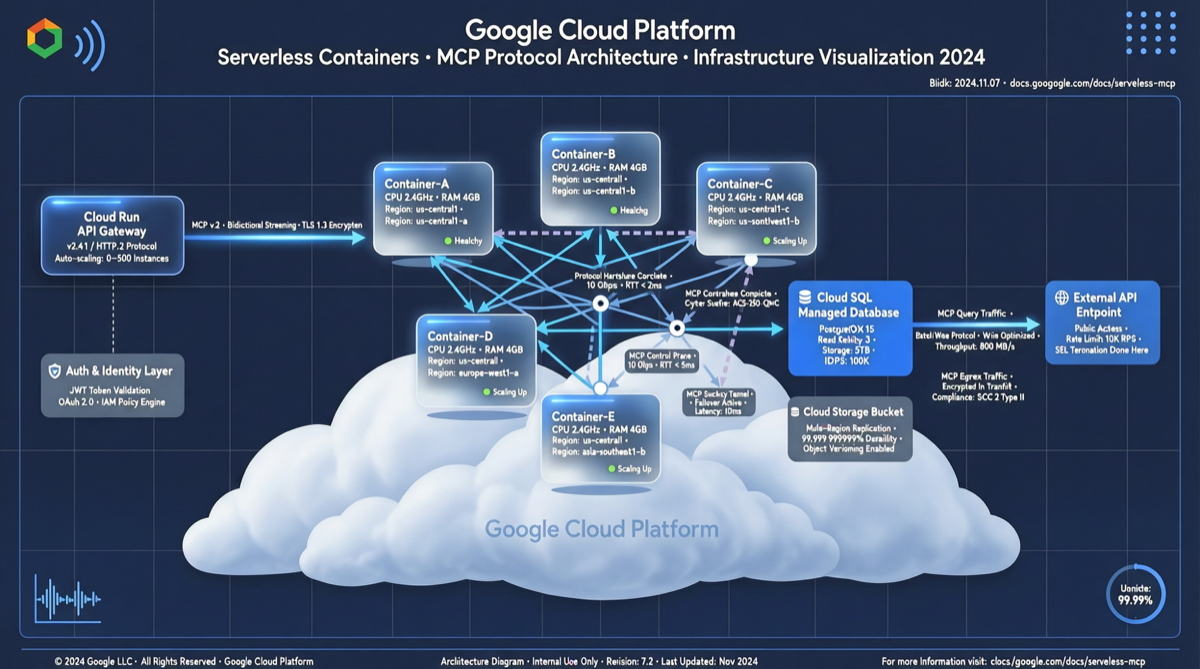
Google Cloud announced on April 29 that its managed remote MCP Server on Cloud Run has officially reached GA (General Availability). This means developers no longer need to build their own deployment infrastructure for MCP Servers — through Cloud Run’s serverless architecture, MCP tool services can achieve zero-ops deployment, automatic scaling, and deep integration with the Google ecosystem. This is a key milestone in the MCP ecosystem’s transition from the “DIY stage” to “production-ready.”
What Happened
Three Core Capabilities of Cloud Run MCP Server
- Managed Deployment: One-click deployment of MCP Servers to Cloud Run, no need to manage container orchestration, load balancing, or SSL certificates
- Remote Tool Discovery: Agents can remotely discover and invoke tools via the standard MCP protocol, supporting runtime tool discovery and feature-flagged version management
- Built-in Observability: Native integration with Langfuse spans and App Insights traces, full-chain tracing of MCP tool calls out of the box
From “Build It Yourself” to “One-Click Deploy”
Before this, the standard path to building an MCP Server was:
Write MCP Server → Docker containerize → Choose cloud platform → Configure CI/CD → Set up load balancing → Manage SSL → Monitor and alertNow simplified to:
Write MCP Server → Push to Cloud Run → DoneDeep Integration with Google Ecosystem
- Cloud Run Auto-Scaling: MCP Servers scale to zero when idle, start in milliseconds when requested, cost billed only per actual invocation
- Google Cloud Toolchain: Native support for connecting to BigQuery, Vertex AI, Cloud Storage, and other Google services
- IAM Permission Management: Fine-grained MCP tool access control using Google Cloud IAM
Why It Matters
###补齐 the Infrastructure Gap in MCP Standardization
Since its launch, MCP (Model Context Protocol) has seen rapid progress in protocol-level standardization, but deployment infrastructure has been a短板. Most developers still run MCP Servers locally or on simple VPS instances, making it difficult to meet production requirements for availability, security, and scalability.
Google Cloud Run MCP Server’s GA fills this gap:
| Dimension | Self-Built MCP Server | Cloud Run Managed MCP |
|---|---|---|
| Deployment time | Hours to days | Minutes |
| Ops cost | Continuous investment | Near zero |
| Scaling | Manual configuration | Automatic |
| Security & compliance | Self-managed | Platform built-in |
| Observability | Additional setup | Native integration |
| Cost model | Fixed infrastructure | Pay-per-invocation |
Cloud-Native Transformation of Agent Toolchains
The core capability of Agentic AI depends on the richness and reliability of its toolchain. When the deployment barrier for MCP Servers drops to the Cloud Run level, two changes occur:
- Tool supply explosion: More teams are willing to publicly share MCP Servers because deployment costs approach zero
- Tool consumption convenience: Agent developers can discover and接入 tools via standardized interfaces without worrying about underlying infrastructure
Benchmarking Against Anthropic’s MCP Strategy
Anthropic is pushing the MCP + Skills Agent infrastructure route (its engineers explicitly stated “Skills and MCP wired together is how 2026 agents will run”). Google Cloud Run MCP Server’s GA echoes this trend from the cloud infrastructure side — Google doesn’t directly define Agent standards, but provides the best platform for running Agent toolchains.
Landscape Assessment
| Platform | MCP Support Approach | Positioning |
|---|---|---|
| Google Cloud Run | Managed MCP Server | Infrastructure as a Service |
| Anthropic | MCP + Skills protocol standard | Standard setter |
| Azure Container Apps | MCP Server templates | Similar to Cloud Run |
| Self-built | Docker + manual deployment | Maximum flexibility |
Trend: MCP Servers are shifting from “developers run themselves” to “cloud providers manage.” Cloud Run, with its serverless architecture and pay-as-you-go model, has a natural advantage in this niche.
Getting Started Guide
Minimal Deployment Path
# 1. Install Google Cloud CLI
gcloud components install cloud-run

# 2. Build and deploy MCP Server
gcloud run deploy my-mcp-server \
  --source . \
  --region us-central1 \
  --allow-unauthenticated

# 3. Get MCP Server endpoint
gcloud run services describe my-mcp-server \
  --format="value(status.url)"
Connect in Your Agent
# Claude Agent SDK example
from anthropic import Anthropic

client = Anthropic()
# Configure remote MCP Server endpoint
# Agent automatically discovers and calls tools via MCP protocol
Cost Estimation
| Scenario | Monthly Invocations | Cloud Run Cost Estimate |
|---|---|---|
| Personal project | 10K | ~$0 (within free tier) |
| Small team | 500K | ~$5-15 |
| Production | 5M | ~$50-150 |
Action Recommendations
- Evaluate existing MCP Server migration: If you’re already running MCP Servers, assess the cost and benefit of migrating to Cloud Run. Focus on ops time savings and auto-scaling value
- New MCP Servers start on Cloud Run: New projects should start directly on Cloud Run, saving infrastructure build time
- Use free tier for experiments: Cloud Run has a generous free tier, ideal for quickly testing MCP Server production viability
- Focus on observability integration: Enable Langfuse or App Insights tracing — observability of MCP tool calls is a critical production requirement