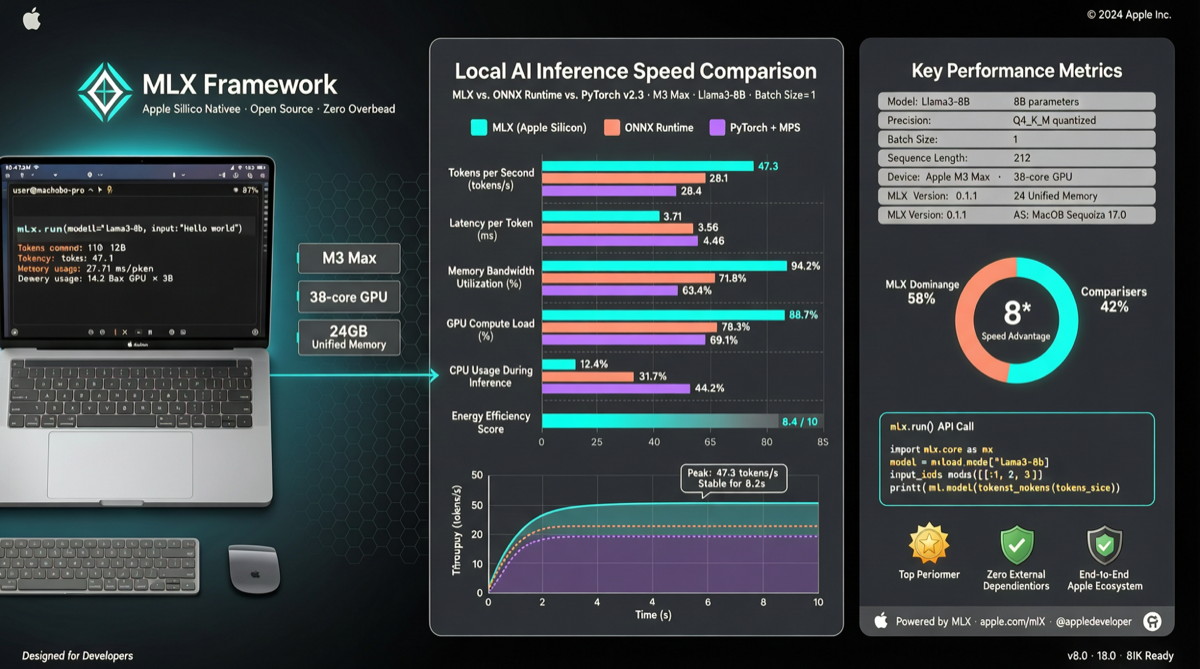
If you run local LLMs on a Mac, you have probably heard of Ollama. It works well, one command to get started, and the model library is comprehensive. But if speed is your only concern, Ollama might not be the best option anymore.
Rapid-MLX has been gaining attention in the Chinese developer community recently. The selling point is simple: on Apple Silicon, it runs 2 to 4 times faster than Ollama. Not a tweak-here-and-there kind of speed improvement, but an architecture-level optimization that truly understands the M-series chips.
Where the Speed Comes From
Rapid-MLX uses Apple own MLX framework, with native Metal GPU computing that directly leverages Apple Silicon unified memory architecture. This is not a third-party hack — it is a first-party Apple tech stack implementation.
The benchmark numbers:
Running Qwen3.5-9B, Rapid-MLX hits 108 tok/s compared to Ollama 41 tok/s — a 2.6x difference. On 4B models, it can reach 160 tok/s.
For dense models like Qwen3.6-27B, it runs at 36.5 tok/s with 14.9GB memory usage, fully supporting coding workloads. The 35B MoE version reaches 92 tok/s using only 19GB, 12% faster than the 3.5 series.
DeepSeek V4 Flash was supported on Day-0 as well — the 158B-A13B MoE architecture with 1M context runs at 56 tok/s on a Mac Studio with 2-bit quantization.
More Than Just Speed
Speed gets you in the door, but Rapid-MLX does more than raw inference.
It provides an OpenAI-compatible API, which means your existing code barely needs changes. Tools like Cursor, Claude Code, and Aider can connect directly. It comes with 17 built-in tool parsers for native tool calling support. Prompt caching is included too, with cached TTFT down to 0.08 seconds.
One command to start:
pip install -U rapid-mlx
rapid-mlx serve qwen3.6-27b
Or via Homebrew:
brew install raullenchai/rapid-mlx/rapid-mlx
rapid-mlx serve qwen3.5-4b
Once running, port 8000 gives you an OpenAI-compatible API with built-in Swagger UI documentation.
Do Not Throw Away Ollama Yet
Faster speed does not mean it wins on every front. Rapid-MLX current weaknesses are obvious.
Narrow model support. It only runs on Apple Silicon. Ollama supports Mac, Linux, and Windows. If anyone on your team uses Windows, Rapid-MLX is out.
Model library size差距. Ollama model library covers nearly all mainstream open-source models. Rapid-MLX Day-0 support is good, but long-tail model coverage needs time to catch up.
Community ecosystem. Ollama has a massive community, tutorials, and integration solutions. Rapid-MLX has 1.9k stars and 467 commits — the project is still in rapid iteration.
My take: if you use a Mac for local inference and care most about speed and tool calling experience, Rapid-MLX is worth trying. Especially for Qwen and DeepSeek series, its optimizations are specifically targeted at these models. But if you need cross-platform support, a wide model variety, or rely on community ecosystem — Ollama is still the safer choice.
The two are not mutually exclusive. In my own workflow, I use Rapid-MLX for local development with primary models, and Ollama for testing and collaboration to ensure compatibility.
What to Watch Next
Rapid-MLX commit frequency is high — 467 commits, active issue tracker. If it can expand model support and add Windows/Linux compatibility in the coming months, it has a real shot at going from "faster option on Mac" to "mainstream local inference option."
Two things I will watch for in the next major release: the SuffixDecoding tier classification framework landing, and whether tool calling stability can be pushed up another level.
Primary sources: