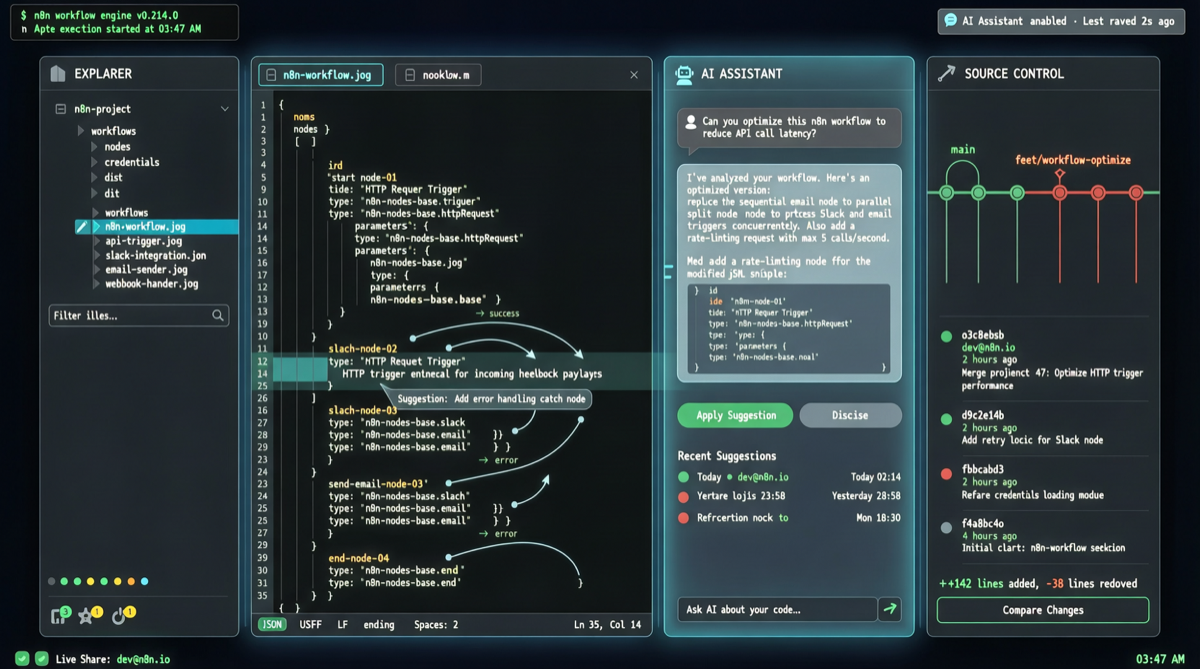
The “Code-ification” of Automation Workflows
n8n is one of the most popular open-source automation tools among developers, but its workflows have historically been stored as JSON inside the n8n instance, outside of code repository management. Developers cannot track changes with Git, perform code reviews, or let AI coding tools like Claude or Cursor directly edit workflows.
n8n Atom changes this. It exports n8n workflows as plain text .n8n files, enabling AI coding tools and version control systems to natively read, edit, and roll back.
Core Capabilities: Workflow as Code
n8n Atom achieves the following through a VS Code extension:
- Plain File Format: Each workflow is stored as a standalone
.n8nfile with a clear structure readable by any text editor - Direct AI Editing: Claude Code, Cursor, and GitHub Copilot can open, modify, and optimize workflow files directly without manual drag-and-drop in the n8n UI
- Git Version Control: Workflow changes can be committed, diffed, reviewed, and reverted—managing automation logic like code
- Instant Rollback: A single
git revertrestores the previous workflow state when a misconfiguration is discovered - 100% Open Source: MIT license, self-deployable and forkable
Comparison with Alternatives
| Dimension | Traditional n8n UI | n8n Atom |
|---|---|---|
| Editing | Drag-and-drop nodes | Text files + AI assistance |
| Version Control | None | Git commit/diff/revert |
| Collaboration | Shared single instance | PR + code review |
| AI Editing | Not supported | Claude/Cursor direct read/write |
| Rollback | Manual restore | git revert one-click |
| CI/CD | Not supported | Deployable via pipeline |
Quick Start
# 1. Install the n8n Atom extension in VS Code
# Extensions → Search "n8n Atom"

# 2. Clone your n8n workflows repository
git clone <your-n8n-workflows-repo>

# 3. Edit workflows with AI
# Open .n8n files in Cursor/Claude Code and describe the changes you want
# Example: "Add a webhook trigger that sends a Slack notification on POST request"

# 4. Commit changes
git add .
git commit -m "feat: add slack notification workflow"
git push

# 5. Sync back to n8n instance
# The n8n Atom extension provides a sync button to push .n8n files back to the running n8n
Use Cases and Limitations
Suitable for:
- Team collaboration on n8n workflows
- Automation scenarios requiring audit and compliance tracking
- Rapid construction and modification of complex workflows with AI coding tools
- Integrating automation logic into CI/CD pipelines
Limitations:
- Requires n8n instance support for importing/exporting
.n8nfiles - Complex dynamic expressions and custom nodes may need manual debugging
- Early community ecosystem; issue response speed remains to be observed